By Nazreen Daud, Founder of Roquepress · Published 28 Oct 2026 · Updated 28 Oct 2026
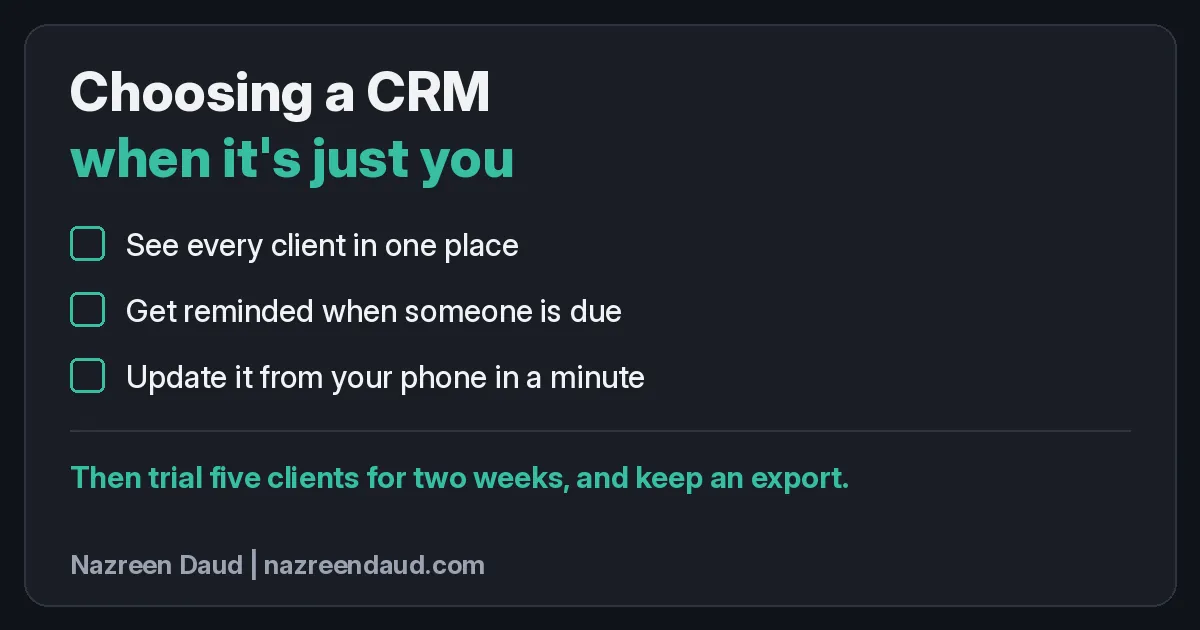
The best CRM for a solo business is the one that does three jobs well: shows every client in one place, reminds you when someone is due, and lets you update it from your phone in under a minute. Start simple, trial it with five real clients for two weeks, and keep an export before you move everyone.
If enquiries are slipping through while you work out the tooling, you can book a short call with me.
How I started without a CRM
My first "CRM" was an email list. I started my business without a real CRM (customer relationship management software: one place for your contacts, their history and what happens next), and at first I didn't even know what a CRM meant.
That list, my own database, was the only reason I realised my prospects, clients and new leads all needed separate places, especially the leads coming in from different channels.
That gave me the idea of a proper pipeline, a simple view of where each lead is on the way to becoming a client. From there, a proper CRM became important.
Looking back, the order is the useful part. The list came first. Separating prospects, clients and leads from different channels led to a pipeline. A proper CRM came after that.
The same question from other solo owners
Someone on r/smallbusiness recently asked what to use when it's just you. They run a small cleaning business on the side, with about 40 regular clients in one spreadsheet. They'd tried a free CRM and given up after two weeks because it kept asking them to set up sales pipelines they don't have.
One anonymous reply in the r/smallbusiness thread didn't name a single product. It's one person's opinion on a forum, not research. It said to judge any tool by three jobs only, test it with five clients for two weeks, and keep an export as a backup. Several other replies were people offering to sell or build something.
The rest of this article is my view on how to run that test.
Why a full CRM can feel wrong on day one
In my view, many CRMs are designed around a sales team, which is why the setup asks about pipelines, deal stages, forecasts and team seats. If you're one person with regulars who rebook, many of those screens ask about a business you don't run yet. A pipeline earns its place once leads arrive from several channels and you need to see who is where. On day one it's often just more setup.
Think of it like buying a lorry to do the school run. It will carry the children, but it needs more parking and more fuel, and by Thursday you're back in the old car because it's easier.
An oversized tool becomes the thing you'll update later, while a regular who was due last week and a quote you meant to chase slip by.
For a solo owner, the useful question about any tool is how many things it stops you forgetting.
The three jobs any client tracker has to do
Run whatever you're looking at, CRM, spreadsheet or booking system, past these three jobs. If it can't do all three simply, it's the wrong tool for you right now. A pipeline can come later.
1. Can you see every client in one place?
One screen should show everyone: name, contact, when you last worked together and when they're next due, with no hunting across chat apps, email and a notebook in the car.
Pick a client at random and time how long it takes to find their last booking and their phone number. If it takes more than a few taps, the tool is storing information, not organising it.
2. Does it remind you when someone is due?
This is the job most people are really buying. A client list that only remembers is a filing cabinet. One that reminds you is the start of a follow-up system.
"Due" might mean the next visit, a renewal, or an enquiry that hasn't booked a call yet. Either way, the reminder has to reach you without you remembering to look for it.
3. Can you update it from your phone in under a minute?
Solo owners update records standing up: between jobs, in the lift, in the car park. If adding a note needs a laptop, it won't happen on a busy day, and busy days are when things slip.
Try it: on your phone, find a client, add a note and set the next reminder. If that takes more than a minute, or you have to pinch and zoom, take note.
How to run a five-client, two-week trial
This is how I'd run it:
- Pick five real clients. Mix a regular, someone due soon and someone you haven't heard from in a while. Sample data tells you nothing.
- Keep your old system running. Don't delete or stop updating the spreadsheet. The trial sits alongside it.
- Set a real reminder for each of the five. Use dates that will fall inside the two weeks.
- Use it on working days, not just at your desk. The question is whether you'll open it when you're busy, tired or on the move.
- Check on day 14. Did every reminder actually fire? Did you update it from your phone? Did you trust it enough to stop checking the spreadsheet?
Two weeks shows whether reminders really arrive and whether you open it on a work day. One evening only tells you the setup screens are pleasant.
If day 14 is a yes to all three, move everyone else over. If not, you've lost five records' worth of typing.
Keep an export: your exit before you need it
Before you commit, export your client list to a plain file, open it, and check that names, contacts, notes and dates all came through.
The reply in the thread put it well: the spreadsheet broke once, so don't let the replacement become the next single point of failure. It suggested keeping a weekly export until the new system has survived a month without a scramble. I think that's sensible advice for any tool you rely on, not just a CRM.
Do you even need a CRM yet?
Not always. One reply in the same thread made the case that at 40 clients you may not need a CRM yet; you need the spreadsheet to stop breaking. Its suggestions were practical: turn the list into a proper table so a sort can't pull rows apart, add a "next due" column you can filter, use recurring calendar reminders for each client, and add a "last paid" column, since that's the one that tends to slip when it's just you.
I agree, and it matches how it went for me: an email list first, a pipeline once leads were coming in from different channels, then a proper CRM. The three jobs are the test, not the label on the software. If a well-built spreadsheet plus your phone calendar passes all three, that's a working system. If it fails the reminder job or the phone job, that's your sign to look further.
What I'd avoid is a fancy tool you half use next to a spreadsheet you half trust. That's how follow-ups go missing.
Where this meets your website
A good website brings in enquiries. A good client tracker makes sure each one gets an answer and a next step. If either half is missing, enquiries leak.
Picture a general scenario, not a real client: a coach gets three website enquiries on a busy Monday. The third sits in her inbox until Friday, by which time that person has booked someone else. The follow-up had nowhere to live.
So connect the two. Ask a couple of good questions on your enquiry form, as I suggest in putting sales-call questions on your website, so each enquiry arrives with enough context to file properly. Use those first details to spot red flags in a first enquiry before you spend time on a call. And if most of your work comes from people who already know you, a reminder to stay in touch matters even more, which is the thread running through how consultants get clients from their network. The same small-clear-job rule applies to AI tools on your site, as I wrote in feeding your website's AI assistant less.
If you'd like a second pair of eyes on how enquiries move from your website to a booked call, book a short call with me.
A checklist to save
Test any client tracker on three jobs:
- See every client in one place.
- Get reminded when someone is due.
- Update it from your phone in a minute.
Then, before you commit:
- Trial it with five real clients for two weeks.
- Check every reminder actually fired.
- Keep an export and check it opens.
FAQ
What should a solo business look for in a CRM?
Look for three jobs, not a feature list: one place to see every client, reminders when someone is due, and quick updates from your phone. Start simple. A sales pipeline earns its place later, once leads are coming in from several channels and you need to see who is where.
How long should I trial a CRM before committing?
Two weeks with five real clients is a sensible minimum. It's long enough to see whether reminders actually fire and whether you open the tool on busy working days. Keep your old spreadsheet running alongside it, and only move everyone over once all three jobs pass.
Do I need a CRM, or is a spreadsheet enough?
A well-built spreadsheet can be enough if it passes the three jobs. Make it a proper table so sorting can't break it, add a next-due column, and pair it with phone calendar reminders. If reminders get missed or you can't update it on the move, that's the sign to look further.
Why should I keep an export of my client list?
An export is your backup and your exit. It protects you if the new tool fails, changes its pricing or simply doesn't suit you. Export once before you commit, open the file to check everything came through, and keep regular exports until the new system has proved itself.
So, what's the one job your client list has to do for you?
About the author: Nazreen Daud is Founder of Roquepress and a Malay web consultant and marketer in Singapore. He has built websites for businesses since he started freelancing in 2013, registered Roquepress in 2019 and founded Mulacan in 2022. He writes practical, hype-free notes on websites, SEO and AI for service businesses.